

Key takeaways
- The official WhatsApp Cloud API can be used directly from Meta once your business is verified.
- Business-initiated messages need approved templates, which can be personalised with names.
- You pay Meta's per-message fees; a third-party platform adds a monthly fee and a markup.
- Clean lists, small batches and gradual warm-up protect your number from bans.
Sending a WhatsApp broadcast from your phone only reaches people who have saved your number, and blasting messages from a normal account is the fastest way to get banned. The WhatsApp Business API is the official way for businesses to send campaigns, reminders and updates at scale. This guide explains how it works in India, what it costs and how to send safely.
01What is the WhatsApp Business API?
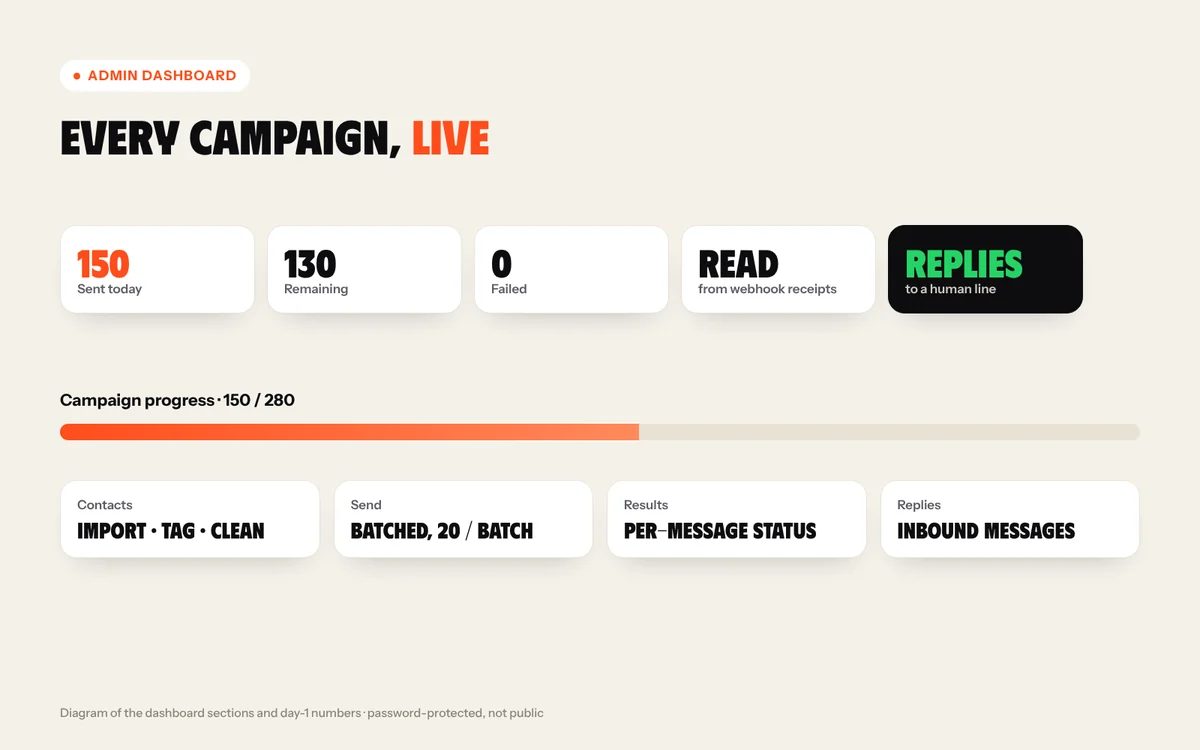
It's Meta's official interface for businesses to send and receive WhatsApp messages from software, not from a phone. Today most businesses use the WhatsApp Cloud API, which Meta hosts. Your system calls the API to send messages, and Meta calls your system back (a webhook) with delivery receipts, read receipts and replies.
02Do you need a third-party platform?
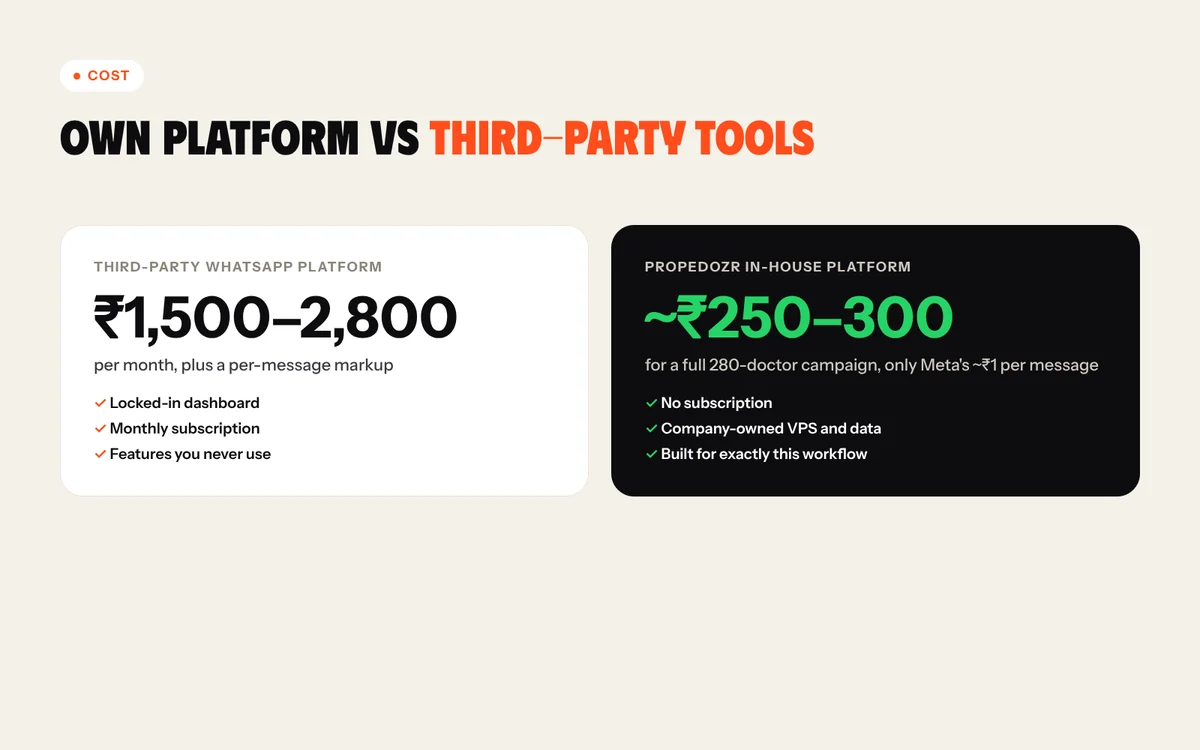
No. Many businesses use a Business Solution Provider (BSP) with a ready-made dashboard, which is convenient but usually means a monthly subscription plus a markup on every message. If your needs are focused, such as sending personalised offers to a known list, you can use the Cloud API directly with your own small platform and pay only Meta's fees.
We built exactly this for ProPedoZR, a pediatric zirconia crown brand, to reach 280+ dentists. A full campaign cost roughly ₹250–300 in Meta fees, compared with ₹1,500–2,800 a month for a third-party platform.
03Step 1: verify your business with Meta
You'll need a Meta Business account, your business registration details (such as GST and registered address), a phone number that isn't already on WhatsApp, and a display name that matches your brand. New accounts sometimes hit policy errors until verification is complete, so finish verification first.
04Step 2: get your templates approved
Any message you start (not a reply within 24 hours) must use an approved template. Templates can include variables, so "Hello Dr. {{1}}" becomes "Hello Dr. Priya" for each recipient. Keep templates clear, relevant and honest; misleading or spammy templates get rejected.
05Step 3: clean your contact list
Remove duplicates, normalise numbers to the country format, and take out anyone who shouldn't get the message: your own numbers, vendors, patients or unrelated contacts. Messaging the wrong people leads to blocks and reports, which hurt your number's quality rating.
06Step 4: send safely
- Start small. New numbers have lower daily limits; stay well under them at first.
- Send in batches with short delays, not all at once.
- Warm up gradually and watch your quality rating before scaling.
- Make opting out easy, and never message people who said no.
07Step 5: track delivery, reads and replies
Set up a webhook so Meta can send delivery and read receipts and incoming replies to your system. That's how you know what actually reached people, and which contacts are interested.
08Route replies to a real person
Meta doesn't allow plain wa.me links inside template buttons, but a button can link to a page on your own domain that forwards to your team's WhatsApp number. That way, every interested customer reaches someone who can answer.
09What does it cost?
Meta charges per conversation or message by category (marketing, utility, authentication), and prices differ by country. Check Meta's current pricing for India before planning a campaign. With your own platform, that fee is your main running cost.
10Want this set up for your business?
We handle Meta verification, templates, contact cleaning, your own campaign dashboard and safe sending. See our WhatsApp Business API marketing service, or read about our WhatsApp automation work.
11Frequently asked questions
Can I use the WhatsApp Business API with my existing number?
Only if that number isn't active on the WhatsApp app. Most businesses use a dedicated number for the API.
Can I send bulk WhatsApp messages without the API?
Broadcast lists on the app only reach people who saved your number and are limited. The API is the official, scalable way.
Is the WhatsApp Business API free?
Access is free through Meta's Cloud API, but messages are charged per Meta's pricing.
How do I avoid getting banned?
Use approved templates, message only relevant opted-in contacts, start with small volumes and make opting out easy.
Want us to check your website?
Send your website and we'll reply on WhatsApp with what to fix first. Free, no obligation.


